


Solitaire: Classic Klondike
4.42.41K Reviews
App Specs
- Version
- 1.39.305
- Updated On
- License
- Free
- Downloads
- 10,000,000+
- Developer
- Big Cat Studio - we make brain games
- Categories
- Card
- Platform
- Android, iOS
Screenshots
 Analysis by AppCompare
I like a phone game best when it fits naturally into the gaps of an ordinary day rather than demanding that I rearrange the day around it. That is where this familiar card-table format makes sense: a round can be a brief pause, while a promising layout can keep me playing a little longer. Solitaire is a straightforward take on a classic, and its appeal rests on letting the cards do most of the talking.
A familiar table, with room to settle in
The first useful question is what sort of card game you want. This is for someone who enjoys sorting a layout, weighing a move, and seeing a plan gradually come together. It is not a story-led game or a fast contest against another player. I would choose it for a quiet break, not when I want social competition, a changing narrative, or a constantly novel challenge.
That distinction matters because the pleasure here comes from repetition with small variations. A new deal gives me a fresh arrangement to read, but the basic task stays recognizable. The daily challenges offer another reason to return, although players who dislike repeating a familiar ruleset may find that structure less compelling than a game with several modes or a stronger sense of progression.
How the mood supports the cards
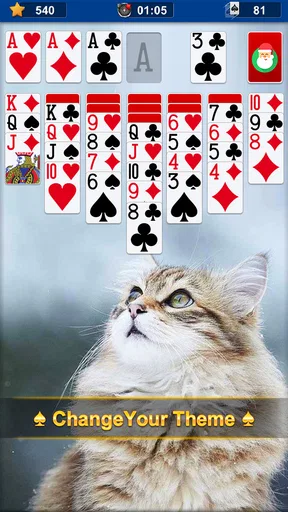
The green table look gives the game a calm, recognizable setting instead of dressing a simple card layout in distracting effects. Changing the background or card backs can make the table feel more personal, but I see those options as small touches, not a deep design system. The restrained presentation is a good fit for players who want the cards to remain easy to follow.
Sound is similarly modest. The effects provide a little feedback, while the option to turn them off is practical when I am playing around other people or listening to something else. I would not treat the audio as a major attraction; it supports the rhythm rather than defining it. That quiet approach makes the game easier to pick up in shared spaces, though anyone looking for a rich soundtrack or a more expressive game world should look elsewhere.
Useful habits for a short session
One small way to make each round feel less aimless is to pause before using a hint. I first scan the visible columns and the stock for an obvious move, then ask the hint for help only when I have run out of ideas. That keeps the suggestion useful as a nudge rather than letting it make every decision for me. Undo is best treated the same way: it is a safety net for testing a move, not a reason to stop thinking through the layout.
This approach is especially helpful when I have only a few minutes. A quick round during a commute wait or a break between tasks can be interrupted by real life, and the central appeal is that the rules are familiar enough to resume without learning a complex system. If you need a game built around long sessions, narrative milestones, or multiplayer interaction, this is a poor match; the simplicity that makes it convenient is also its boundary.
Worth Reading Before You Choose

Baby Panda World Brings Quick Play to Modern Phones, but Its Game Library Feels Busy

ESPN’s Live Game View Makes Following Close Games Easier

QuizzLand Review: A Good Fit for Short Trivia Breaks, Not Every Player

Basketball Stars: Multiplayer Is Fast, but Can It Recover When Matches Go Wrong?

WEBTOON Turns Phone Updates Into a Better Reading Routine

Link to Windows Runs on Shared Habits, Not Social Feeds
First Impressions
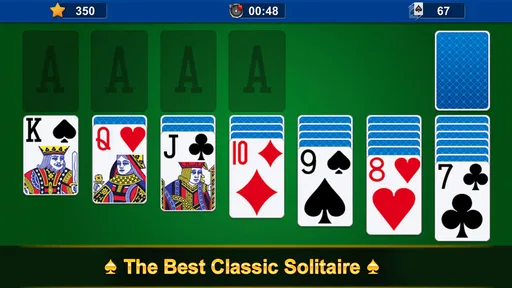
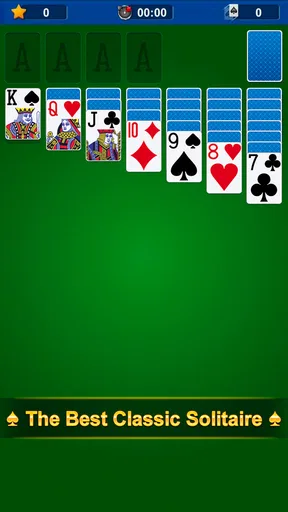
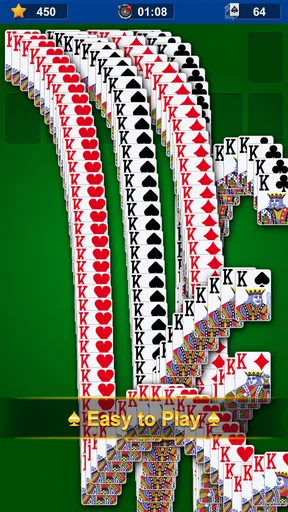
When you open up the Solitaire app, the first thing you’ll notice is the clean and straightforward interface. The developers have done an excellent job of keeping it minimalistic, which is perfect for a game like this. You’re greeted with a classic green felt background, reminiscent of the physical card tables we’ve all seen in movies or maybe even in real life.
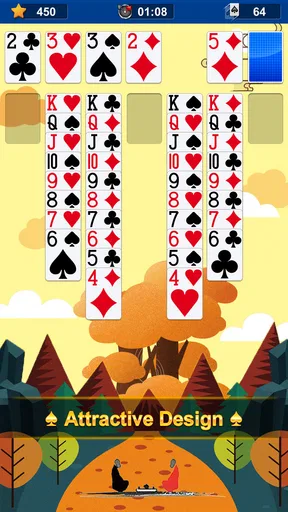
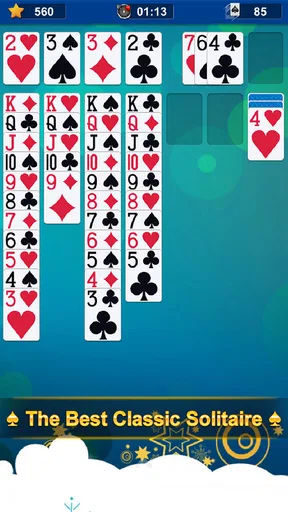
The layout is intuitive. You have your deck at the top, with the cards neatly aligned below, ready to be moved around. The app feels familiar yet fresh, which is a nice touch for seasoned players and newcomers alike.
Gameplay Experience
Playing Solitaire on this app is as smooth as butter. The cards respond with a simple tap or drag, depending on your preference. I found myself quickly getting into the rhythm, shuffling cards, and making those satisfying stacks.
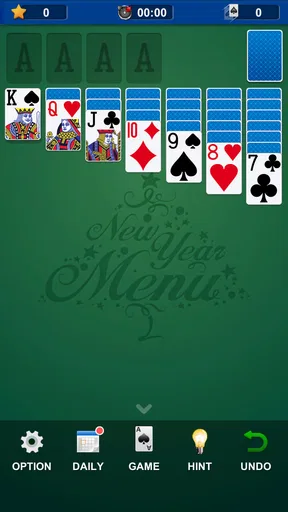
One of the standout features is the hint option. If you ever find yourself stuck, a quick tap will suggest your next move. It’s a handy feature that keeps the game flowing without becoming frustrating. And for those who love a challenge, there’s an undo option to correct any hasty moves.
Customization and Features
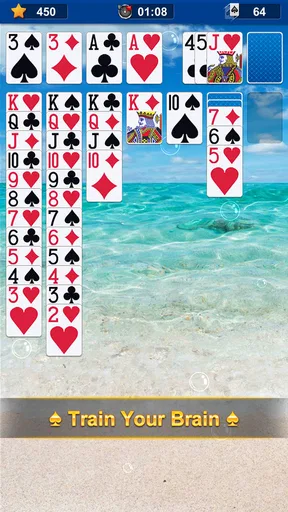
The app offers a decent level of customization. You can change the card backs and the background, allowing for a personalized experience. It’s not overly flashy, which is perfect since the focus remains on the gameplay itself. The sound effects are subtle and can be toggled off if you’re playing in a quiet environment.
There are daily challenges that add a new twist to the classic game. These challenges come with varying levels of difficulty, ensuring that you never get bored. Completing these earns you points and rewards, adding a layer of engagement to the traditional gameplay.
Performance and Usability
In terms of performance, the app runs like a dream. I didn’t encounter any lag or crashes during my time with it, which is crucial for maintaining the flow of the game. The app is lightweight, so it won’t hog your phone’s resources, making it perfect for older devices as well.
Usability-wise, the app is straightforward. Whether you’re a seasoned Solitaire player or a complete newbie, you’ll find your way around easily. The instructions are clear, and the interface is designed to be as user-friendly as possible.
Final Thoughts
All in all, the Solitaire app brings a classic game to the digital age with grace and simplicity. It’s perfect for those who want a quick distraction or a more extended gaming session. The app stays true to the original game while adding small enhancements that make the experience even better.
If you’re a fan of card games or simply looking for a new app to try out, I highly recommend giving this one a shot. It’s a delightful way to unwind and challenge your mind, all from the comfort of your smartphone.
So, what are you waiting for? Shuffle those cards and get started!
Choosing it over other card games
Compared with many mobile card games that emphasize opponents, tournaments, or a collection of different rulesets, this one keeps its attention on a solo card layout. That makes it easier to enter and less demanding than a competitive match, but it also means the variety comes mainly from the deals, the daily challenges, and the visual choices. If you want to practice familiar card-moving patterns at your own pace, that is a sensible trade. If you want changing opponents or a broader card-game collection, a different app will serve you better.
For a realistic routine, I can imagine opening it while waiting for a coffee or sitting through a short pause between errands. I can play a few moves, use a hint when I genuinely lose track, and put the phone away without having to follow a plot or remember a long sequence of objectives. That makes it a better fit for fragmented downtime than games that rely on uninterrupted attention. It is still worth being mindful of the clock: a quick round can turn into several when I keep chasing a cleaner finish.
Who will enjoy the daily return
The daily challenges are a useful option for players who like having a specific reason to open a familiar game. I would treat them as a prompt to try a different layout, rather than assuming each one will feel dramatically different. A practical habit is to play the challenge when I want a defined session, then switch to a regular deal when I only want the comfort of the standard format. This keeps the extra layer from taking over the simple appeal of the cards.
Beginners can use hints and undo to learn by trying moves, but I would not rely on hints for every decision. Looking at the board first helps build the habit of checking which cards are uncovered and what a move might reveal. More experienced players may prefer to limit hints and use undo only to correct a mis-tap or test a choice. The same assistance can make the game more welcoming or reduce the satisfaction of solving a layout, depending on how it is used.
Practical fit and trade-offs
The game is free, and its Everyone age rating makes it broadly suitable as a casual card pastime. Big Cat Studio - we make brain games is the developer. It has an average rating of 4.4 from around 37,000 ratings, with over 10 million installs, so it is a well-established choice in its niche. It was released on May 3, 2017, and version 1.36.305 lists Android 6.0 as the minimum operating system. Those details make it easier to judge whether it belongs on a device, but the main decision is still whether a focused solo card game is what you want.
On a small screen, tap and drag controls are convenient, but touch play can make a quick move easier to misjudge than handling physical cards. Undo softens that friction, and taking a moment to confirm the target pile helps avoid accidental moves. The visual customization can also help with comfort: I would choose a background and card backs that keep the cards distinct rather than picking a combination purely for novelty. Clear contrast matters more than a decorative table when I am playing for several rounds.
Where its limits become clear
The strongest reason to skip this game is not a flaw in the basic presentation; it is a mismatch in expectations. Someone looking for opponents, chat, a campaign, or a steady stream of new mechanics may find the repeatable solitaire loop too narrow. Even the daily challenges sit within that same broad activity. I also would not choose it when I want a game that rewards quick reflexes or demands close attention every second. Its relaxed pace is part of the attraction, but it cannot replace those other kinds of play.
For a newcomer, the natural concern is whether the controls and rules will feel approachable. The familiar layout, simple tap-or-drag interaction, hint, and undo make it easy to begin without much setup. For someone who already knows the game, the more relevant question is whether customization and daily challenges add enough reason to return. In my view, they make the experience friendlier and give it a little structure, but they do not transform the core activity into something entirely different.
I come away seeing this as a dependable choice for calm, self-paced card play: visually familiar, easy to dip into, and flexible enough for both a brief pause and a longer stretch. Its best quality is also its clearest limit—it stays close to the solitaire routine rather than trying to become a bigger game. If that focused mood suits you, it is an easy one to recommend; if you need variety from competition or multiple game types, I would look elsewhere.
Pros
- Easy to learn and play for all ages.
- No internet required for offline play.
- Customizable card designs and backgrounds.
- Quick games for short breaks.
- Helps improve concentration and strategy.
Cons
- Limited game modes available.
- Ads can be disruptive during gameplay.
- Graphics may seem outdated to some.
- No multiplayer or social features.
- Can become repetitive over time.
FAQs for Solitaire: Classic Klondike
Is Solitaire free to download and play?
Yes, Solitaire is generally free to download and play on both Android and iOS devices. However, the app may offer in-app purchases and ads. These optional purchases can enhance your gaming experience by offering features such as ad removal or additional card designs and backgrounds.
Does Solitaire require an internet connection?
No, Solitaire can be played offline, making it a great option for those times when you don’t have internet access. However, some features, like daily challenges or leaderboard updates, might require an internet connection to function properly.
What are the main features of Solitaire?
Solitaire includes features such as customizable card designs, varied game modes (like Klondike, Spider, and FreeCell), daily challenges, and leaderboards. These features aim to enhance the classic gameplay experience and provide players with new and exciting ways to enjoy the game.
How can I customize my Solitaire game?
The app allows you to personalize your experience by selecting different card designs, backgrounds, and themes. You can access these options through the settings menu, giving your game a unique look and feel that suits your style and preferences.
Are there any accessibility features in Solitaire?
Yes, Solitaire often includes accessibility features to accommodate a wide range of players. These can include adjustable text sizes, hints for beginners, and an undo option to correct mistakes easily, making the game enjoyable and accessible for everyone.


